WPScan is a WordPress vulnerability scanner written in ruby, which is capable of detecting common security vulnerabilities as well as listing all plugins used by a website hosting WordPress. WPScan is pre-installed in Kali Linux.
WPscan is a nice tool if you want to find out how to exploit a WordPress site as it does all of this:
- Username enumeration (Checks the ‘author’ query-string and the location header).
- Weak password cracking (This can be multi-threaded and supplied a password list of your choosing).
- Version enumeration (Finds what version of WordPress they are running by checking meta tags and client side files).
- Vulneralbility enumeration (Based on what version they are running).
- Timbthumb file enumeration (Checks for Timthumb exploit).
- Plugin enumeration (See what plugins they are running).
- Plugin vulneralbility enumeration (Tells you which, if any, plugins are vulnerable to exploits).
- Theme enumeration (What theme are they running. Sometimes you can find exploits in the theme).
- Readme.html enumeration (Sometimes can be useful because you will see what is needed for that theme. Helps you find out what they are running. E.G. “This theme require PHP 5″).
- Directory listing (Helps footprint the WordPress installation).
To start WPScan, click on Applications--> Kali Linux--> Web Applications--> Web Vulnerability Scanners--> wpscan
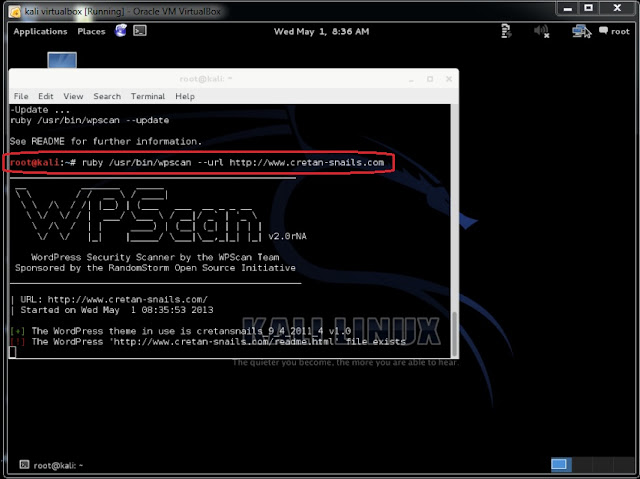
Now, to scan for wordpress plugin to exploit, let pickup any wordpress plugin, ex.: http://www.cretan-snails.com. Type
root@kali:~# ruby /usr/bin/wpscan --url http://www.cretan-snails.com in the root terminal window;
(A)
(B)
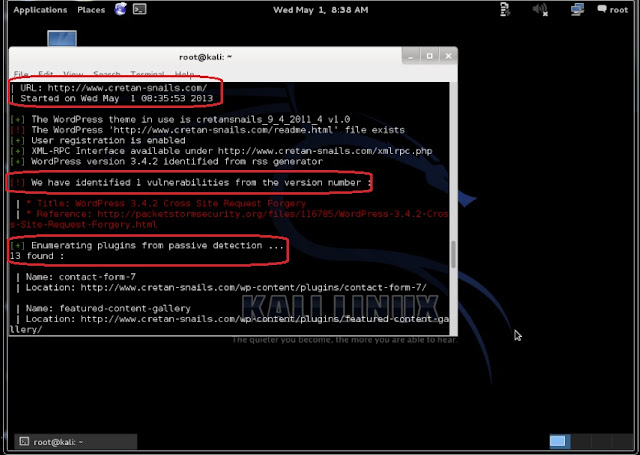
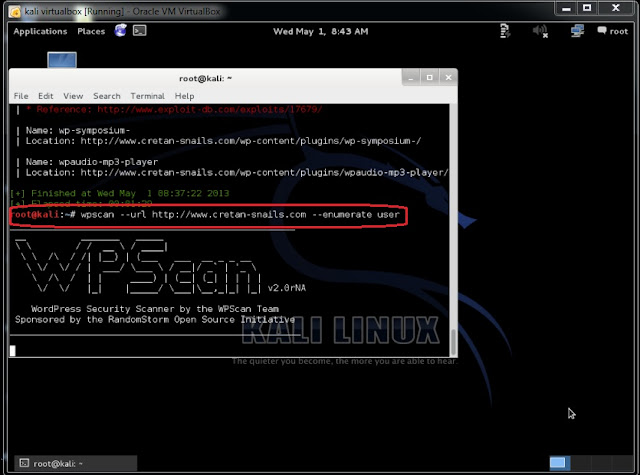
From the above screenshots, we found that there is 1 vulnerability and 13 plug-ins from passive detection. To find Wordpress usernames, type root@kali:~# wpscan --url http://www.cretan-snails.com --enumerate user
(C)
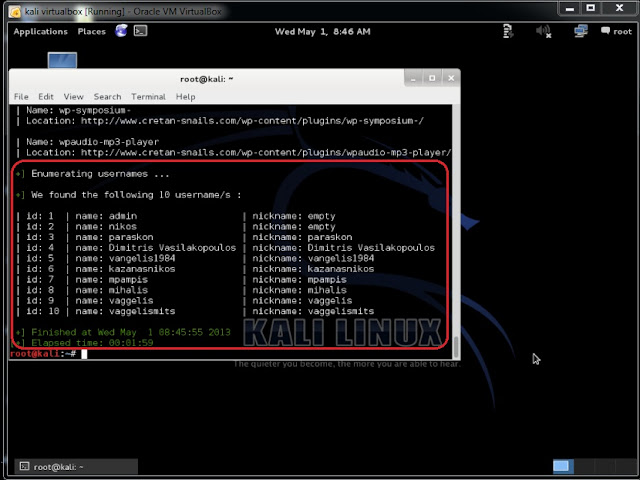
The above screenshot reveals that there 10 Wordpress usernames from http://www.cretan-snails.com
(A)
(B)
From the above screenshots, we found that there is 1 vulnerability and 13 plug-ins from passive detection. To find Wordpress usernames, type root@kali:~# wpscan --url http://www.cretan-snails.com --enumerate user
(C)
The above screenshot reveals that there 10 Wordpress usernames from http://www.cretan-snails.com
www.allsolves.com
ReplyDeleteI just wanted to say this is an elegantly composed article as we have seen here.
ReplyDeleteWordpress Vulnerability Scanner
Wpscan In Kali Linux >>>>> Download Now
ReplyDelete>>>>> Download Full
Wpscan In Kali Linux >>>>> Download LINK
>>>>> Download Now
Wpscan In Kali Linux >>>>> Download Full
>>>>> Download LINK Yx